

With how fast things are changing online today, website performance is a key factor in online success. Whether you are creating a landing page, running an online store, or managing a blog, using animations and visuals the right way can impact your website’s speed, SEO, and overall experience.
Among the most commonly used formats for visuals and animations are GIF, MP4, and SVG—but choosing the right one can make a noticeable difference in how your website performs.
In this article, we will explain each of these formats, their unique features, and where they work best for optimal website performance.
What Are GIF, MP4, and SVG?
These are different types of file formats used to show images, animations, or videos on websites. Each one works in its own way and is useful for different situations.
GIF (Graphics Interchange Format)
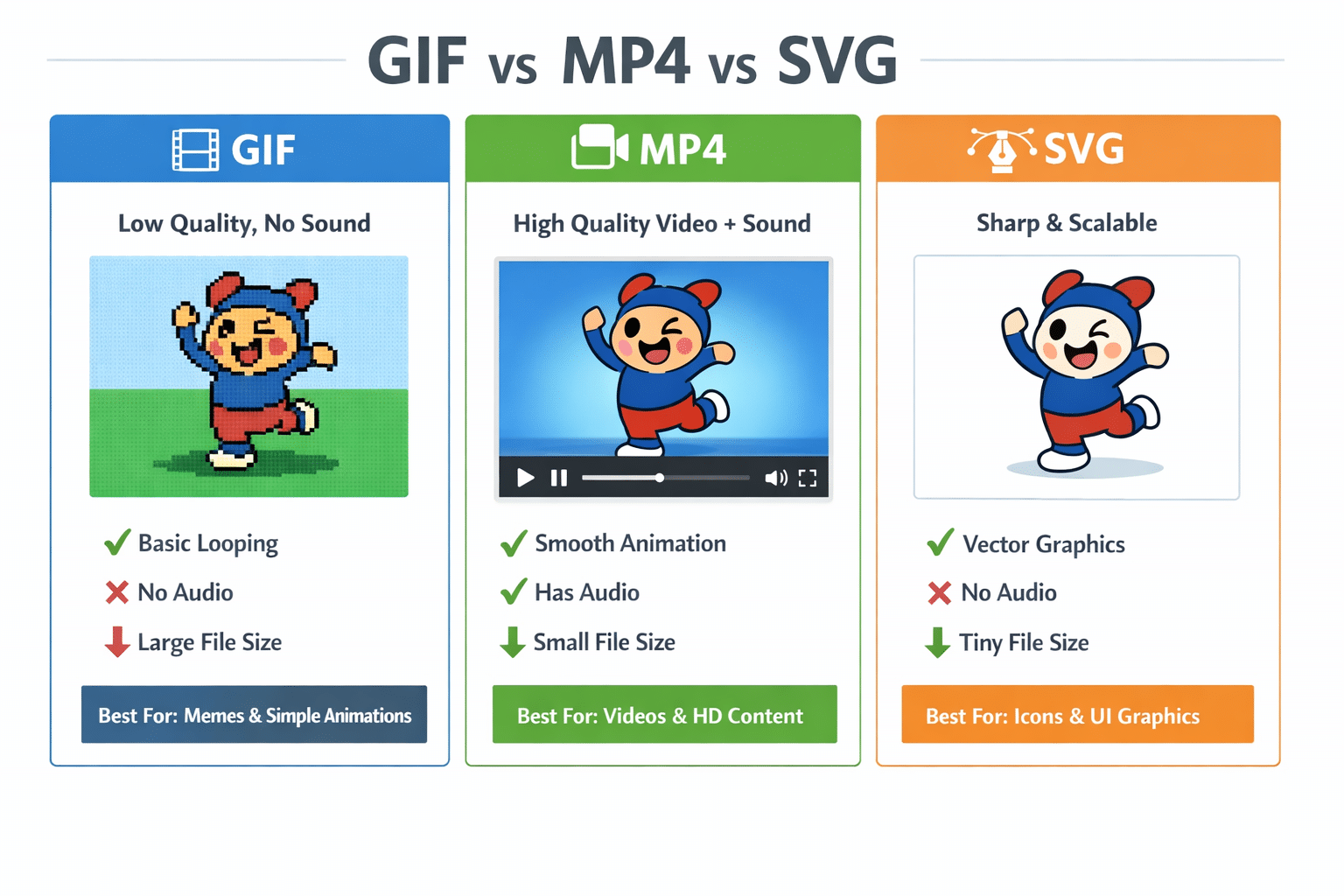
A GIF is a short, lightweight animation that plays automatically in a loop. You’ll usually see it in memes, quick reactions, or simple website animations—there’s no sound, just visuals that repeat continuously. It supports only 256 colors (so the quality is limited), has no audio support, and often results in larger file sizes compared to modern formats, but it works everywhere without any extra setup.
Best for: Simple, short animations (memes, reactions)
MP4 (Video Format)
MP4 is a common video format that lets you watch videos with sound smoothly on almost any device. It keeps the file size small while maintaining good quality, which is why it’s widely used on websites, apps, and social media.
It is a high-quality video format with sound that plays smoothly, supports millions of colors, keeps file sizes much smaller than GIFs, and works easily on websites with features like autoplay, looping, and mute.
Best for: Website backgrounds, product demos, smooth animations
SVG (Scalable Vector Graphics)
SVG is an image format made with code, so it stays sharp at any size, loads quickly, and works great for icons and logos, while also supporting animations and being readable by search engines.
An SVG is a vector image made with XML code that stays sharp at any size, loads quickly, can be animated with CSS or JavaScript, and is even SEO-friendly since search engines can read its content.
Performance Comparison
| Feature | GIF | MP4 | SVG |
| File Size | Large | Small | Very Small |
| Quality | Low | High | Perfect |
| Animation | Basic | Advanced | Advanced |
| Load Speed | Slow | Fast | Very Fast |
| SEO Friendly | No | Limited | Yes |
| Interactivity | No | No | Yes |
Why GIF Is Bad for Performance
GIF files have a large file size, it has lower image quality compared to MP4 and SVG, don’t provide player controls, and can also slow down your webpage.
Why MP4 Is Better Than GIF
MP4 files have a smaller file size, better quality compared to GIF, support autoplay, loop, and mute, are great for background videos, and are faster than GIF.
Example Code:
<video autoplay muted loop playsinline>
<source src=’animation.mp4′ type=’video/mp4′>
</video>
Why SVG Is the Best for Web Performance
SVG files have a tiny file size, offer the best quality compared to GIF and MP4, are resolution-independent, animatable with CSS/JS, and fully interactive.
When to Use Each Format
GIF: its has Quick/simple animations with file size around 5–10 MB.
MP4: it has high quality animations & videos with players control and has smaller file size 500 KB – 1 MB in compare to GIF format.
SVG: it has UI control, icons, scalable graphics and comtact file in compare GIF & MP4.
Switching file formats will improve load speed by up to 90%.
Tips to use
Replace GIFs with MP4, use SVG for UI elements, compress videos with HandBrake, optimize SVGs with SVGO, and lazy-load videos to keep your website fast and smooth.
Final Conclusion
Use SVG for lightweight UI graphics, MP4 for high-quality animations and videos, and avoid GIF unless necessary, since choosing the right format improves speed, SEO, and overall user experience.
For any assistance, you can reach out to us anytime, and our team will be happy to help you implement the best strategies to improve your website’s performance and user experience.
Author