
Our Products
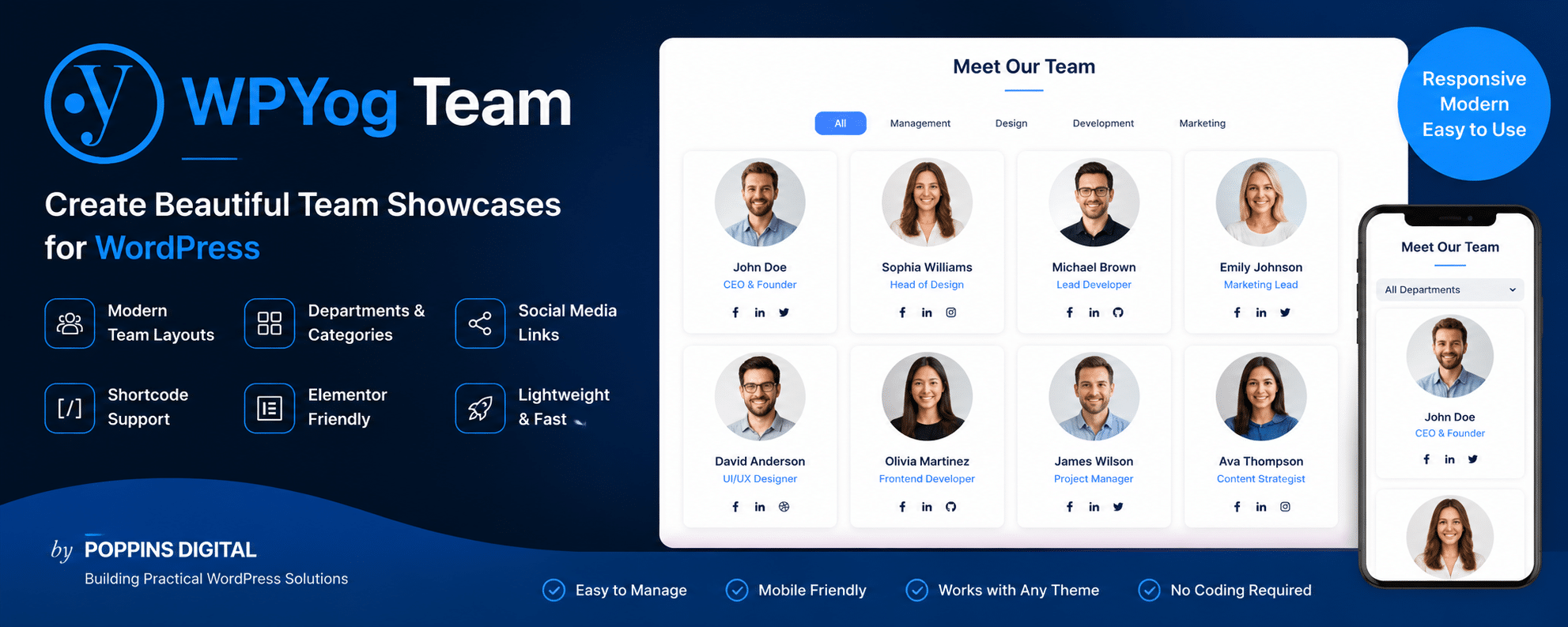
WPYog Team is a modern WordPress plugin designed to help businesses, agencies, schools, healthcare organizations, and startups create beautiful team showcases and staff directories with ease.
Built from real-world client requirements, the plugin focuses on simplicity, performance, and clean frontend presentation — without the complexity of bloated page-builder addons. Easily display team members, leadership profiles, faculty directories, speakers, or departments using responsive layouts, profile popups, social links, and shortcode support.
Whether you are building an About Us page, company directory, or expert showcase, WPYog Team helps you create professional team sections directly inside WordPress.
Benefits
Create Professional Team Showcases
Display your employees, leadership team, faculty members, speakers, or organization profiles with clean modern layouts.
Lightweight & Fast
Unlike bloated team plugins, WPYog Team focuses on speed, simplicity, and practical business use cases.
No Coding Required
Create and manage team sections directly from your WordPress dashboard using simple shortcodes.
Mobile Responsive
Your team pages automatically adapt beautifully across desktop, tablet, and mobile devices.
Works with Elementor & Most Themes
Compatible with modern WordPress themes and page builders including Elementor.
Easy Team Management
Add:
- profile photos
- designations
- bios
- departments
- social media links
using a familiar WordPress workflow.
Use Cases
Business Team Pages
Showcase your company leadership, staff, and departments professionally.
Agency Team Sections
Display developers, designers, marketers, and project managers with social links and bios.
School & Faculty Directories
Perfect for:
- schools
- colleges
- coaching institutes
- faculty listings
Healthcare & Medical Experts
Create doctor, consultant, or healthcare expert profile pages.
Startup & SaaS Teams
Introduce your founders, product teams, and advisors with modern profile cards.
Speaker & Event Profiles
Display webinar speakers, trainers, and conference panelists.
FAQs
1. Does WPYog Team work with Elementor?
Yes. WPYog Team works smoothly with Elementor and most modern WordPress themes.
2. Can I display team members using shortcodes?
Yes. You can easily display team members anywhere using shortcodes.
Example:
[wpyog_team]
3. Can I organize team members by department or category?
Yes. You can group and filter team members using departments or categories.
4. Is the plugin mobile responsive?
Absolutely. All layouts are designed to work across desktop, tablet, and mobile devices.
5. Can I add social media links?
Yes. Team member profiles support social media profile links.
6. Is coding knowledge required?
No. WPYog Team is designed for easy management directly from the WordPress dashboard.
7. Will it work with my WordPress theme?
WPYog Team is designed to work with most modern WordPress themes.
Demo
Live Demo: https://demo.poppinsdigital.com/wpyog-team-demo/
Demo Screenshots (add these screenshots)
Team grid layouts
Popup profile modal
Mobile responsive layouts
Department/category filtering
Download
WordPress Plugin Directory
Download WPYog Team from WordPress.org: Download WPYog Team
Plugin Support
Use the official WordPress.org support forum: WPYog Team Support Forum